Bring it in
Choose a text-based bank PDF or CSV. Tidebook reads it on your computer and keeps the original for reference.
Private money workspace / Mac & Windows
A quieter place to turn bank PDFs and CSVs into a record you can check, search, and actually use. Your files stay on your computer.
Free beta 0.1.1. Mac Apple Silicon and Windows x64. Read the platform notes before installing.
How it works
Start with one statement. Keep the source and the extracted record together, then decide what the numbers mean.
Choose a text-based bank PDF or CSV. Tidebook reads it on your computer and keeps the original for reference.
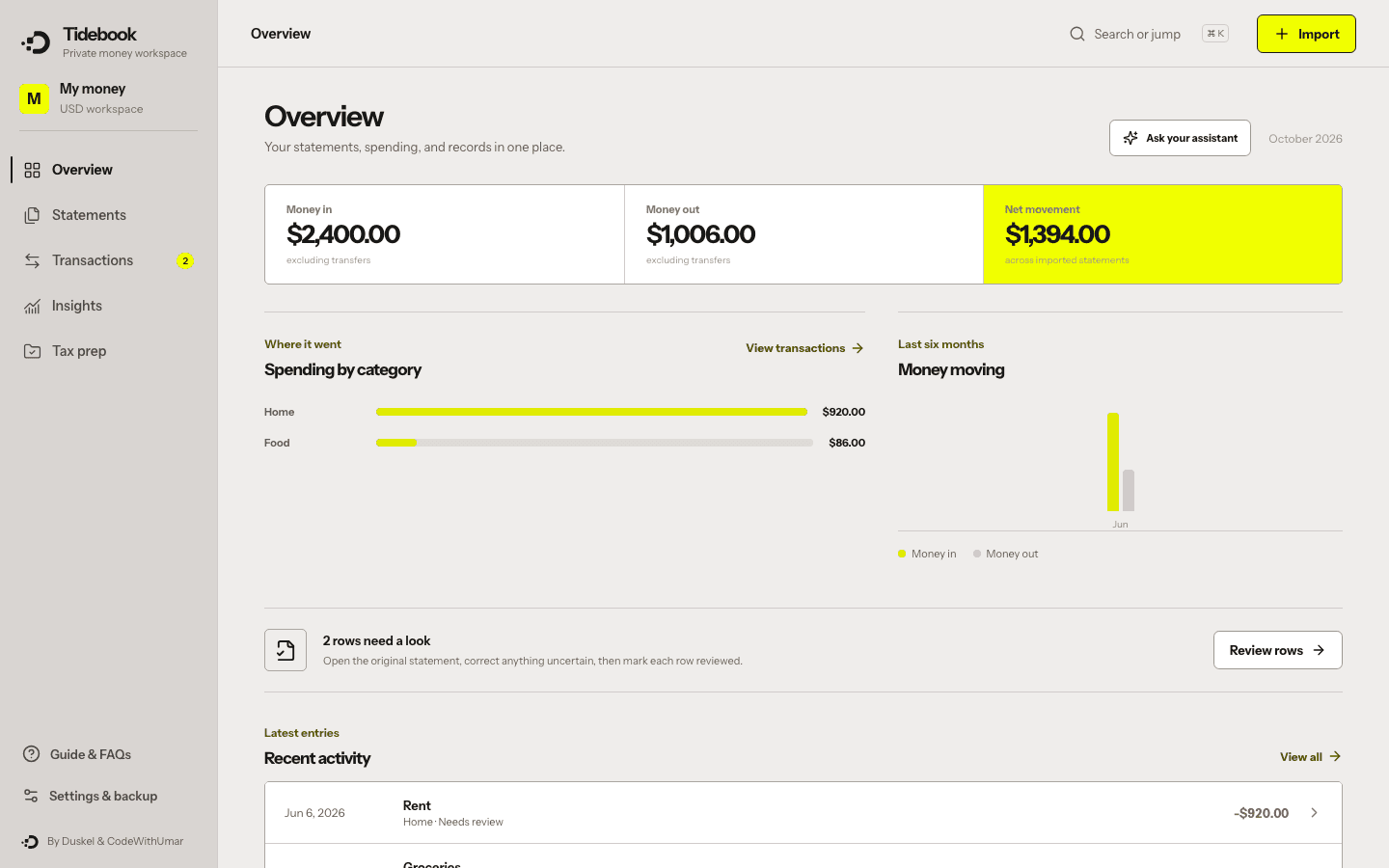
Review extracted rows, fix categories and notes, and compare opening and closing balances when available.
Search spending, prepare a tax review list, or export CSV. Back up your workspace whenever you choose.
Built for the second look
Useful records need a way to catch uncertainty, not just a button that turns one file into another.
Every imported row starts needing review. Possible duplicates are flagged, never silently removed.
A statement is marked balanced only when its opening balance plus the imported rows equals its closing balance.
See spending by category and month, search transactions, add notes, and export a focused review list.
Connect local Ollama or an installed Claude Code or Codex CLI. Preview an aggregate summary before sharing it; nothing is sent automatically.
Good to know
PDF extraction currently supports readable text-based layouts, not scanned documents or every bank format. Always check imported rows against the original. Tidebook does not calculate taxes or decide what is deductible.
Records and originals are stored locally, but Tidebook does not encrypt them itself. Use your device protection and keep backups. Optional AI is an explicit action with a preview of the aggregate information shared.
Free beta 0.1.1. Keep backups and check every imported row before relying on it. Updates are manual for now.
For M-series Macs. Not notarized by Apple. Intel Macs are not supported by this build.
Download Mac betaSHA-256 checksum
f1e80c0613235f0919ac87778ff4a740c24aae2c3ae624b28513d8cedbebeb63Experimental Windows 10/11 installer. No verified publisher signature. Built successfully; installation has not yet been tested on Windows.
Download Windows betaSHA-256 checksum
364a93f7126b75f1c99e3ed658ea9f65c4ee51ff4f2f54efe215321c0ade3130The Mac beta is not notarized by Apple. You may see ‘Apple could not verify Tidebook is free of malware.’ This warning means Apple cannot verify the app; it is not itself a report that malware was detected.
Download the Mac beta from the official Tidebook page. Open the DMG and drag Tidebook into Applications.
Open Tidebook from Applications. If the verification warning appears, click Done—not Move to Trash.
Open System Settings → Privacy & Security, scroll to Security, and find the Tidebook message.
Only if you trust the download, click Open Anyway, authenticate when asked, then click Open. macOS saves an exception for this app.
Do not disable Gatekeeper or antivirus, or run commands that remove system protections. If Open Anyway is missing, try opening Tidebook once more, then return to Privacy & Security. A managed Mac may require your administrator’s approval. Stop if macOS says the app is damaged or will harm your computer, and contact support@duskel.com.
Apple’s official instructions · Read the full Tidebook installation guide
Windows: Run the installer. Windows may show an unknown-publisher or SmartScreen warning. Do not disable antivirus or system security. If your organization blocks installation, contact your administrator.
Need help? support@duskel.com. The app stores records separately from its installation; back up your workspace before updating.
By Duskel & CodeWithUmar.